Zum Hauptinhalt springen

· 3 Minuten Lesezeit
Dmytro Lavraniuk

This release cycle brings a substantial set of improvements to the Cloud PBX portal — from a brand-new end-user self-care experience to deeper call analytics, expanded fax management, and broader language support. The changes span portal versions 7.x.x through 8.x.x and require PortaSwitch MR125 or later.

End-User Self-Care Portal

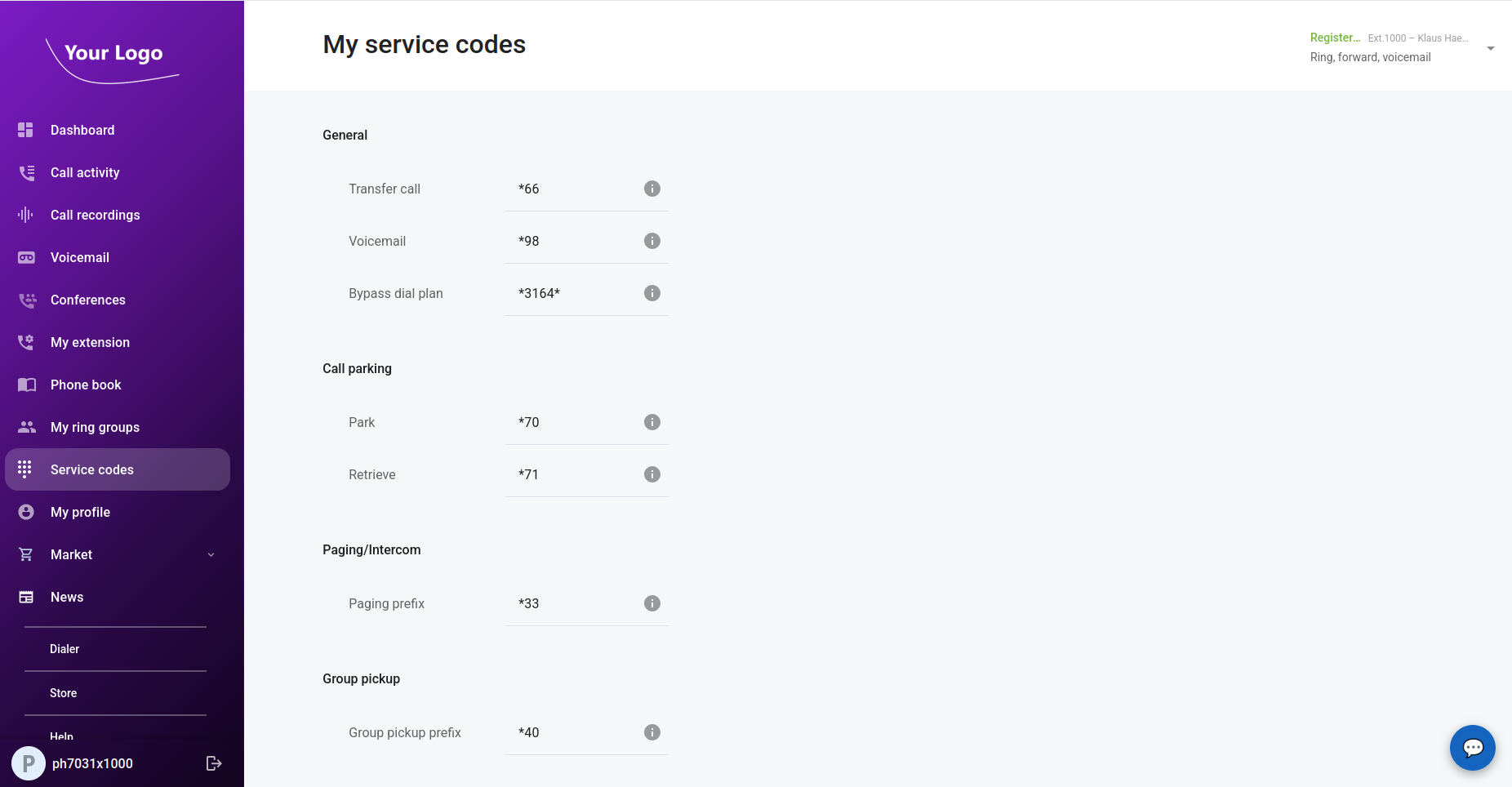
For the first time, individual extension holders — employees and end users — can log into the CloudPBX portal with their own web credentials and manage their communications directly. The service provider or business admin enables portal access per extension; once enabled, users sign in at the same URL as the business and land on a personal dashboard.
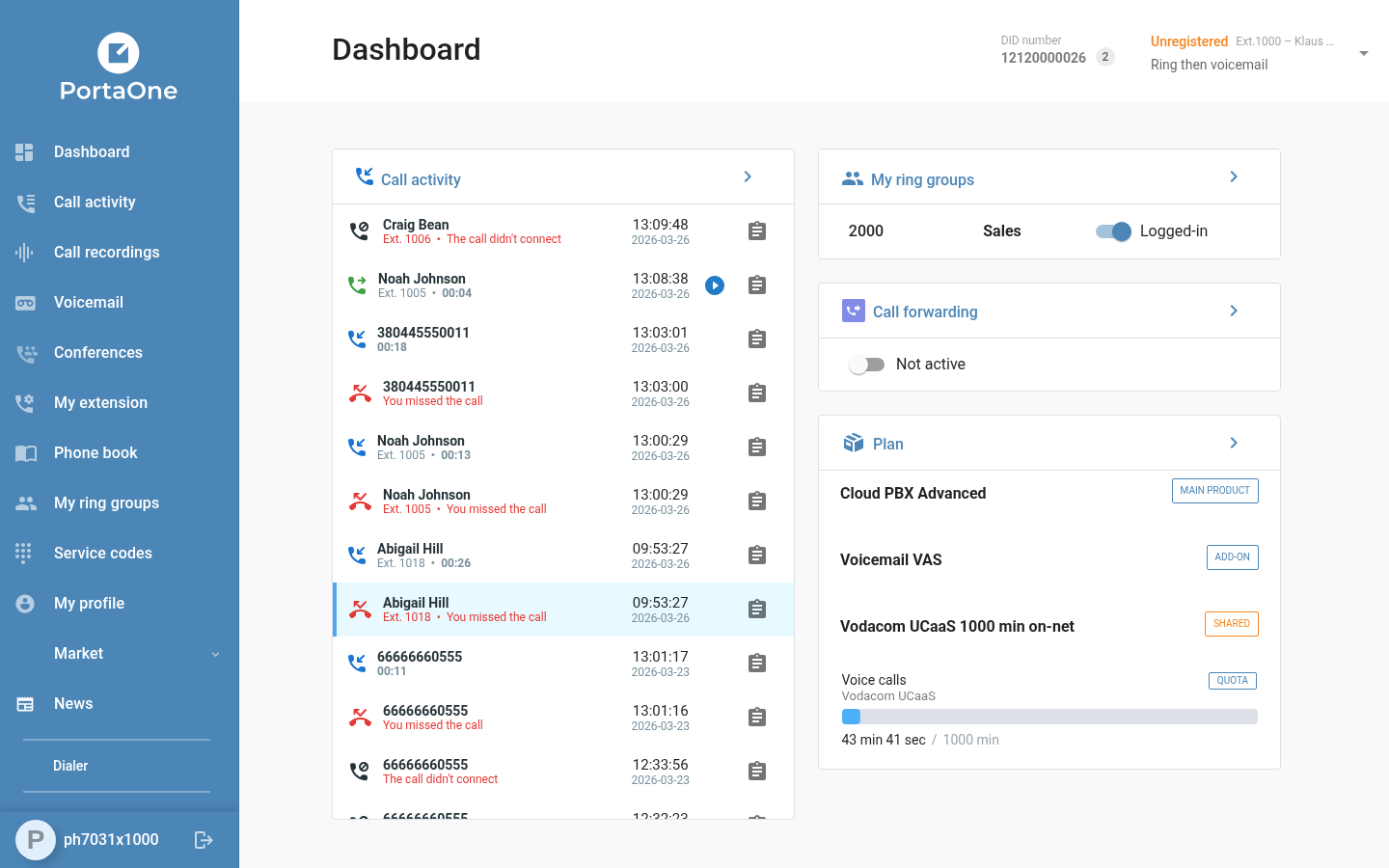
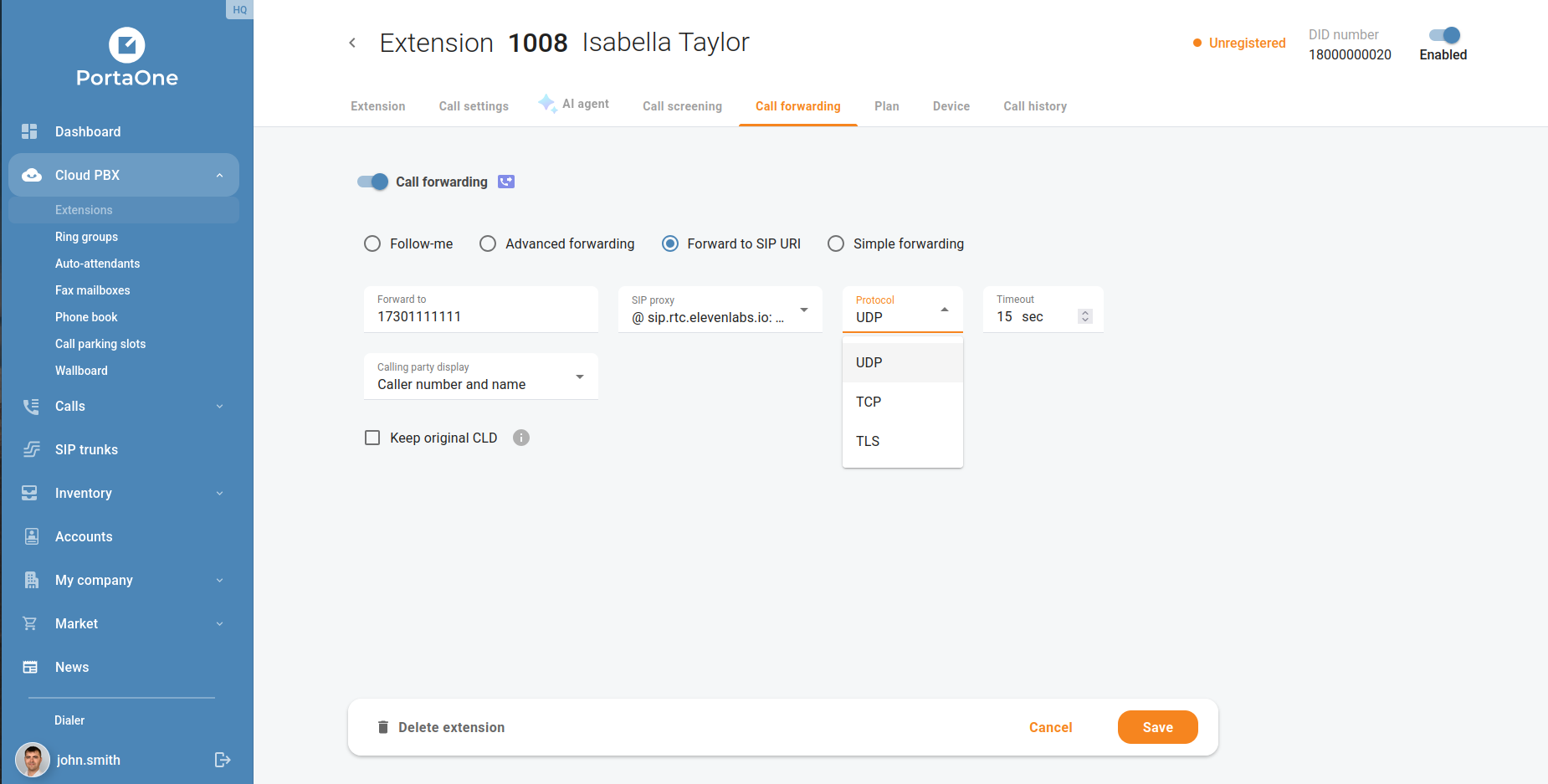
From the dashboard, end users can view their recent call activity, access call recordings, manage their extension settings (including call forwarding rules), check ring group membership, and review their active plan and services — all without involving the business admin. The dashboard itself presents this information in a clean, card-based layout: a live call activity feed on the left, and ring group status, plan summary, and service counters on the right.

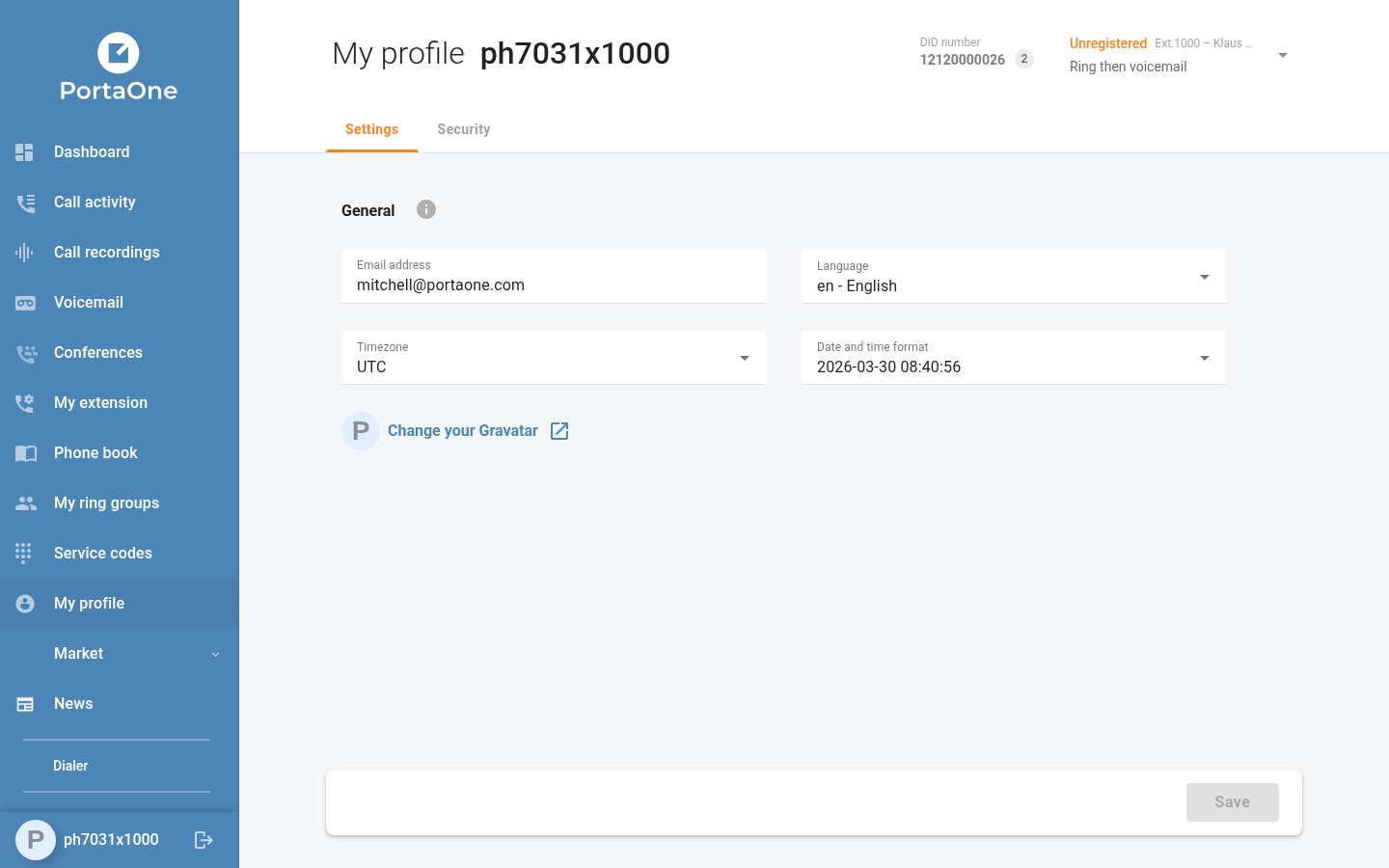
Apart from the dashboard, end users can also access the Call recordings, Voicemail and My profile menus.
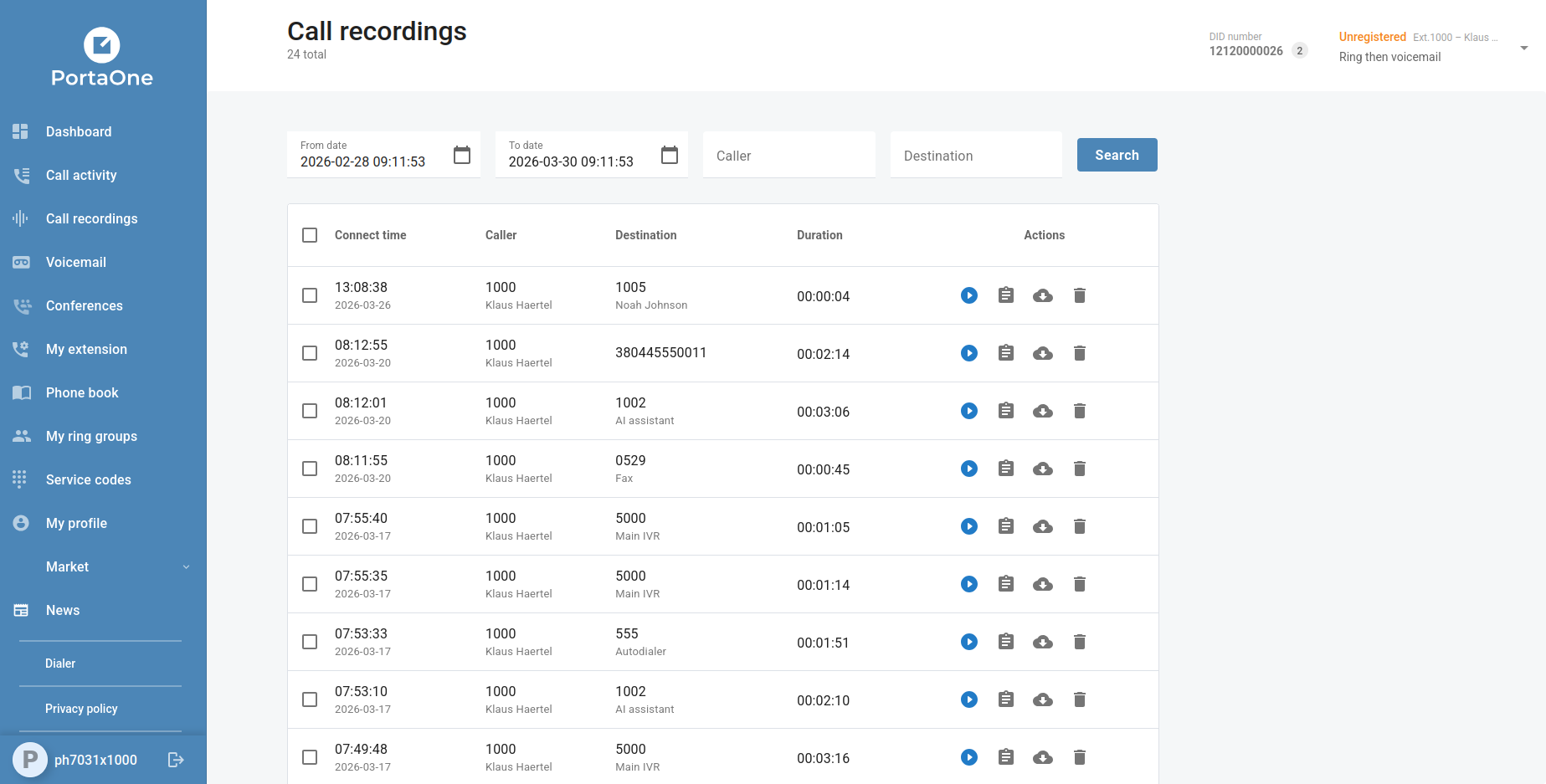
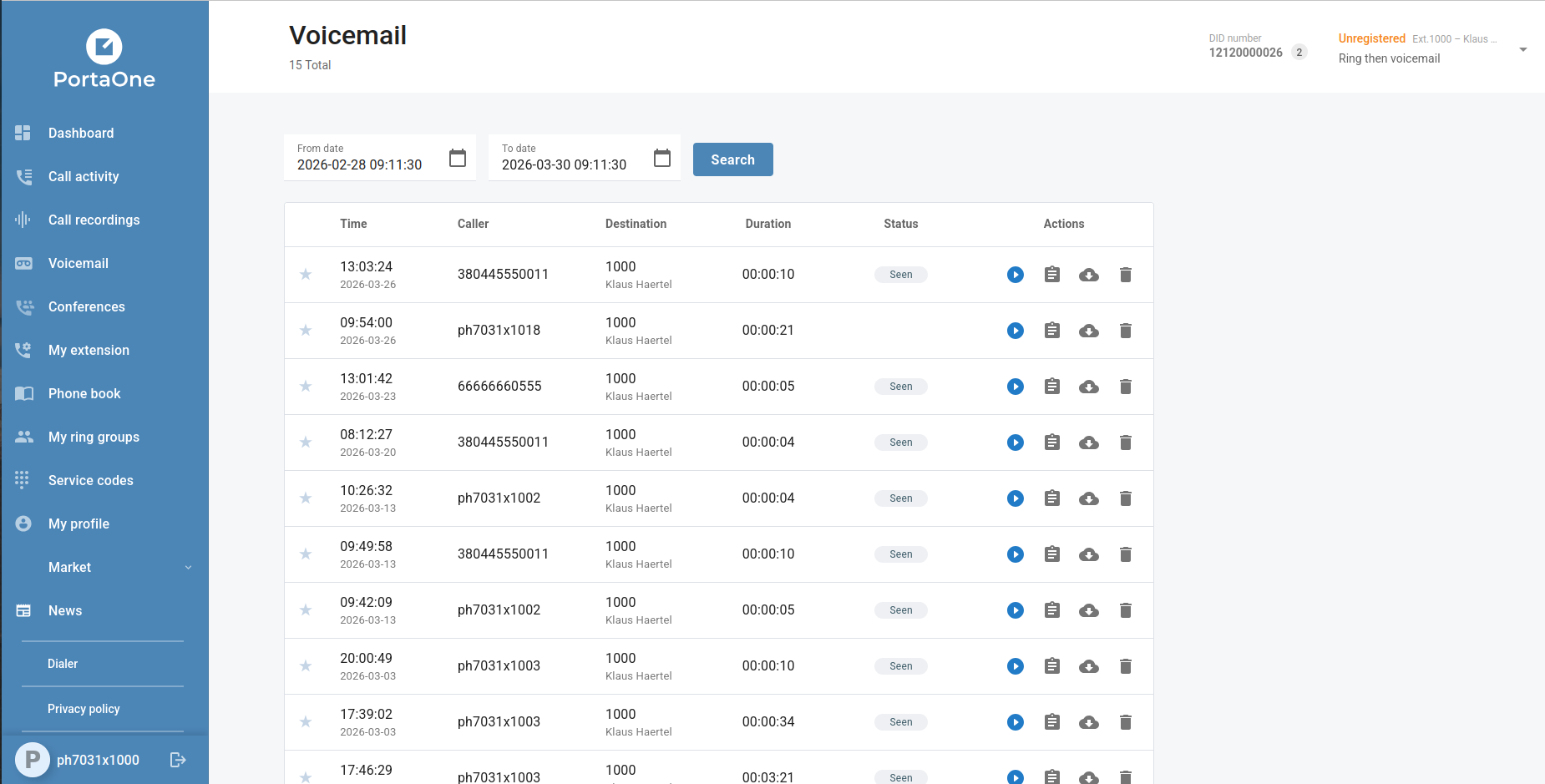
Other menus will be implemented in future versions of the CloudPBX portal.

Fax Access

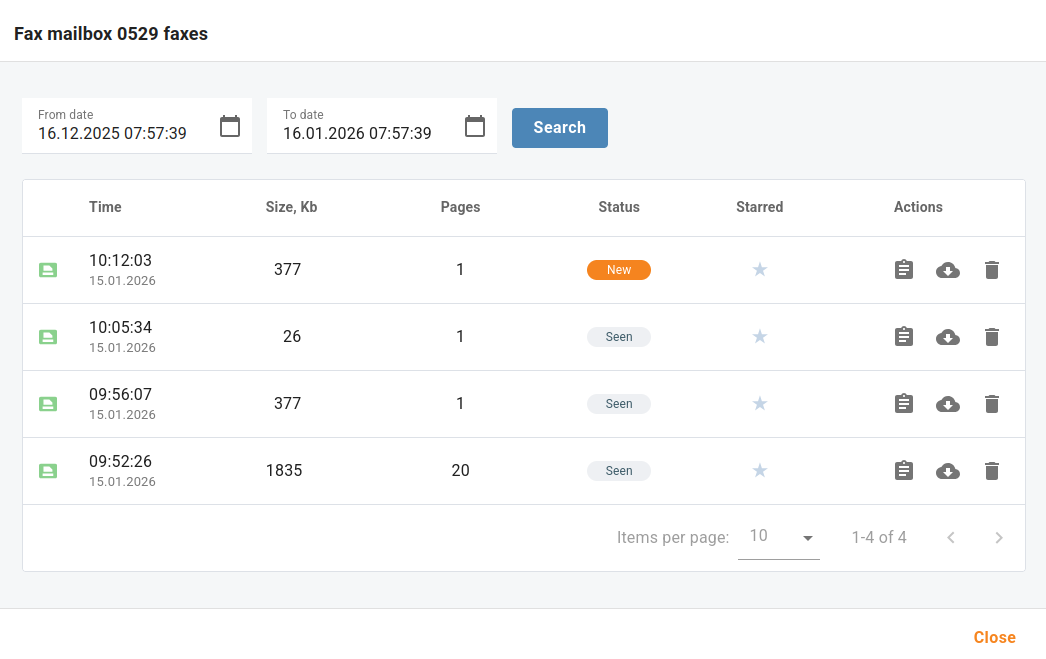
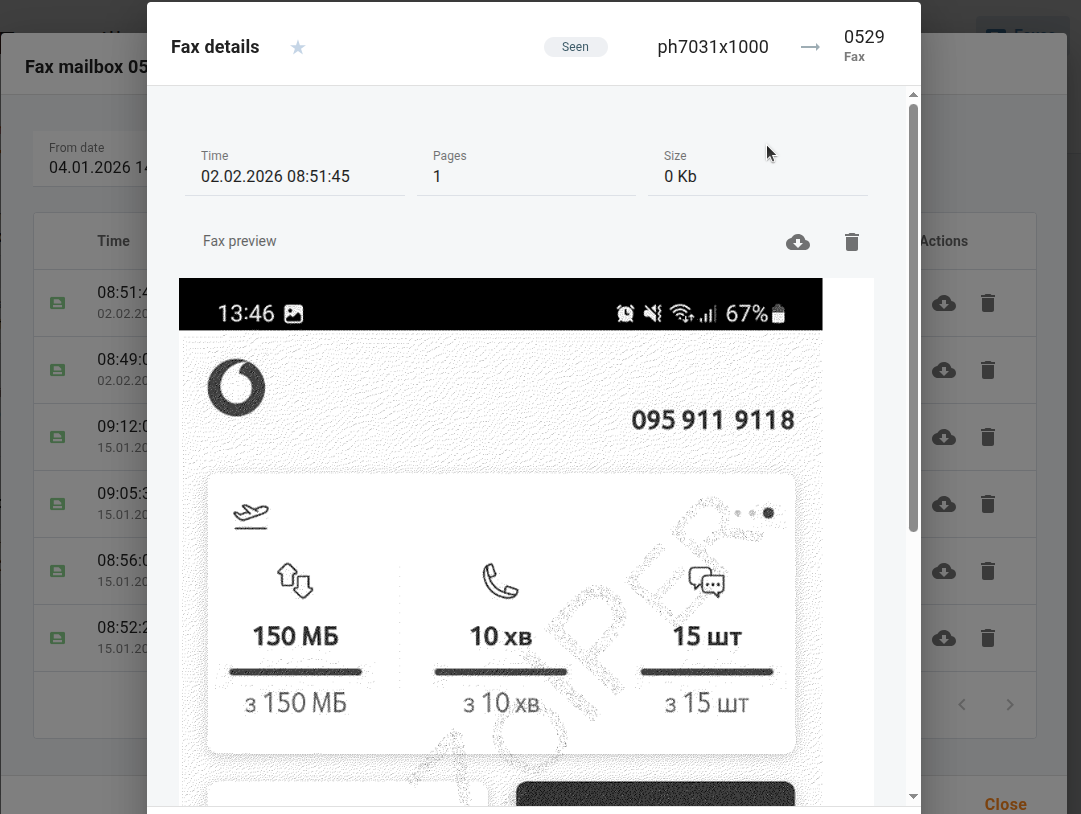
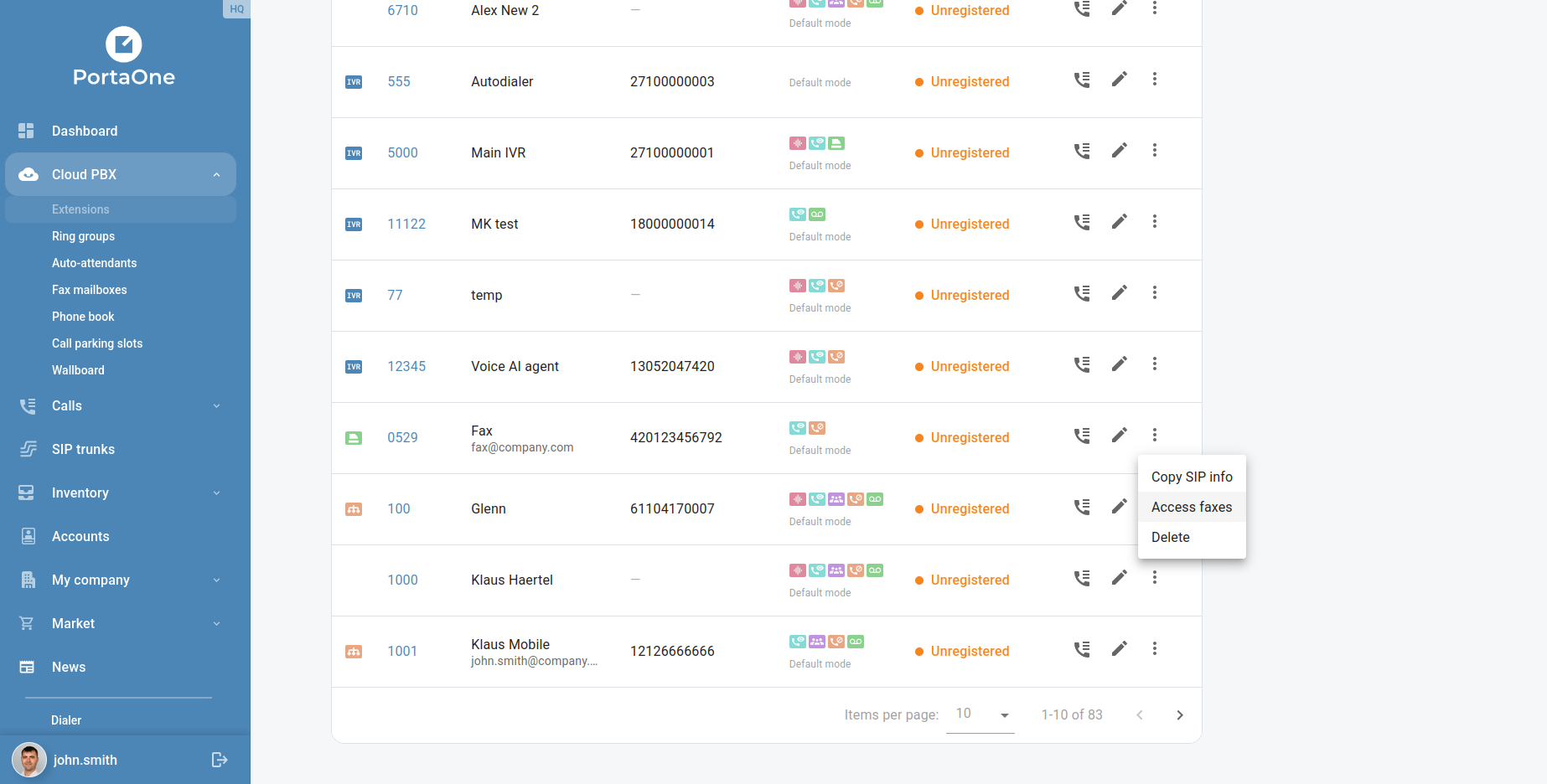
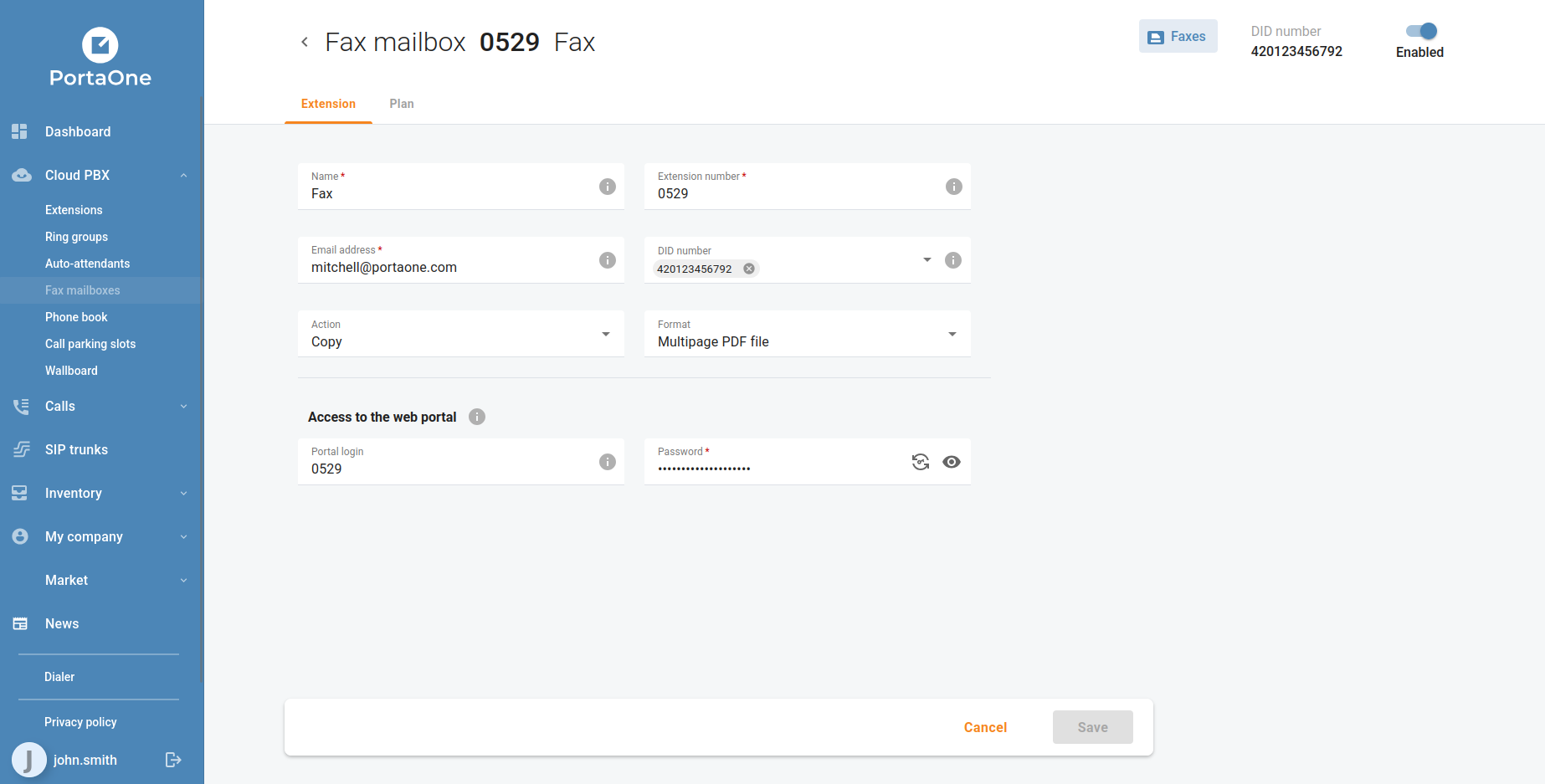
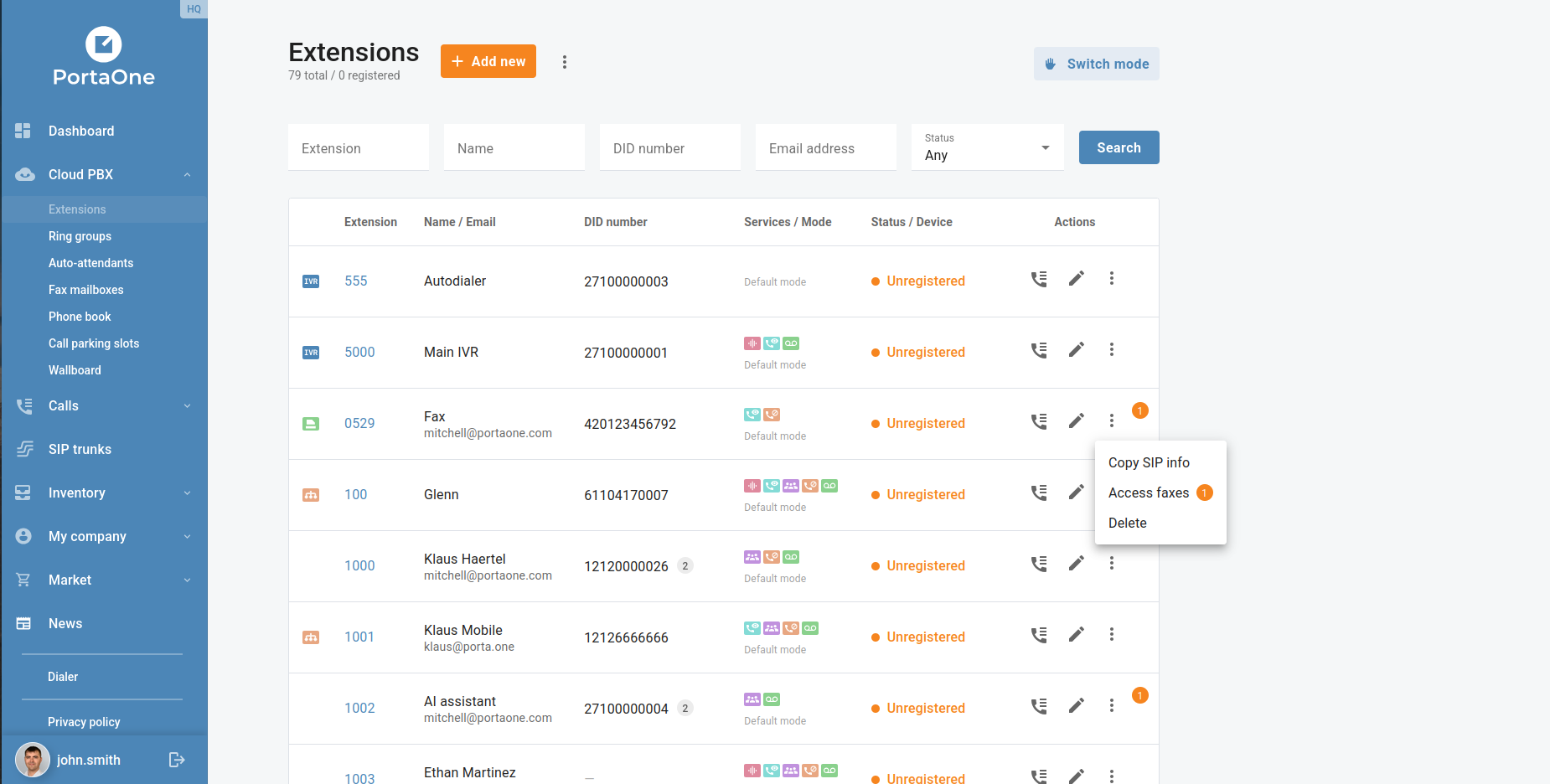
Customers can now browse, preview, and manage their incoming faxes directly from the portal. Fax messages are accessible from the fax mailbox, complete with document preview and download — no third-party email client required. Fax mailboxes are managed from the Cloud PBX → Fax mailboxes and Cloud PBX → Extensions menus, and can be assigned to DID numbers as needed.
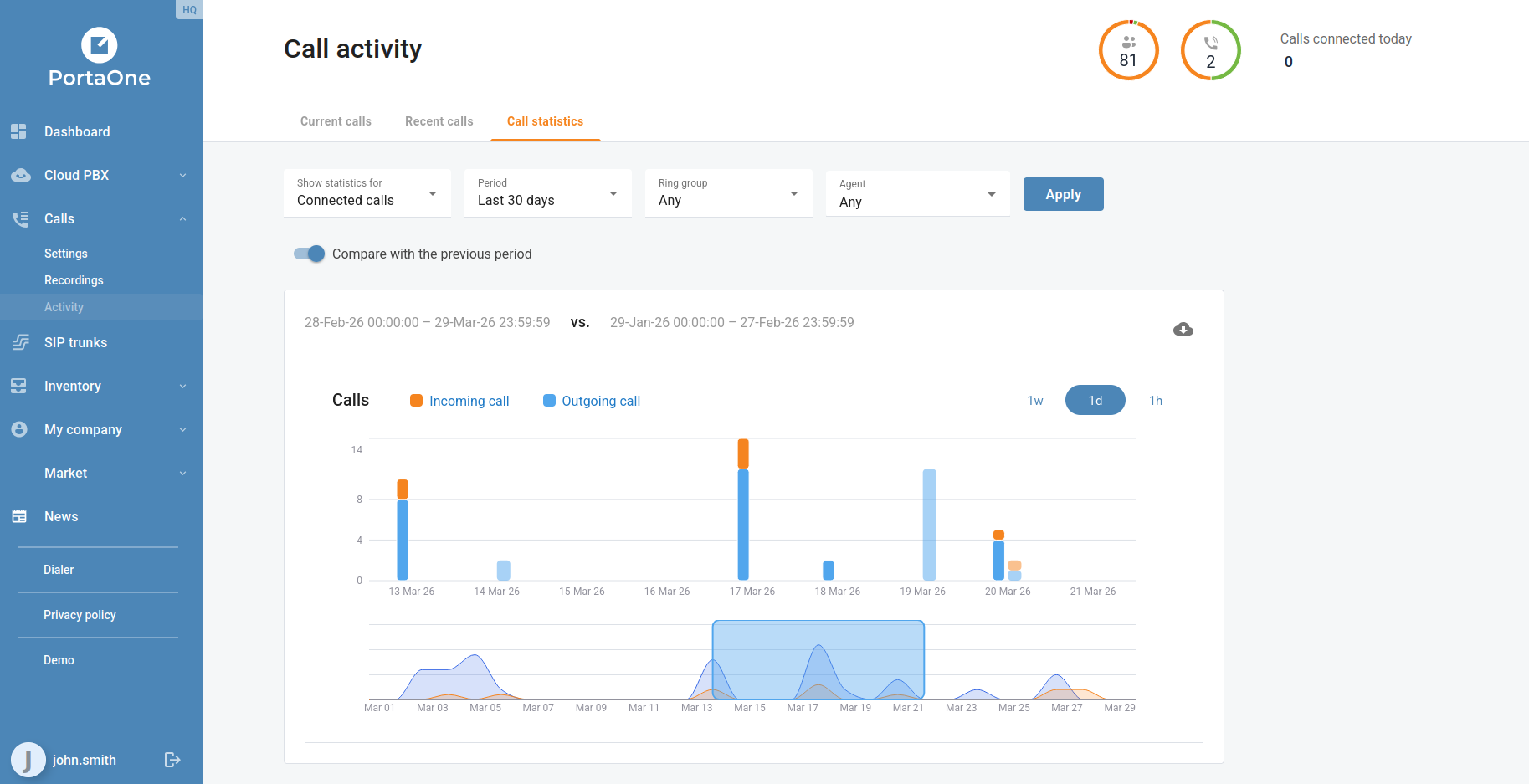
Selectable Call Activity Metrics

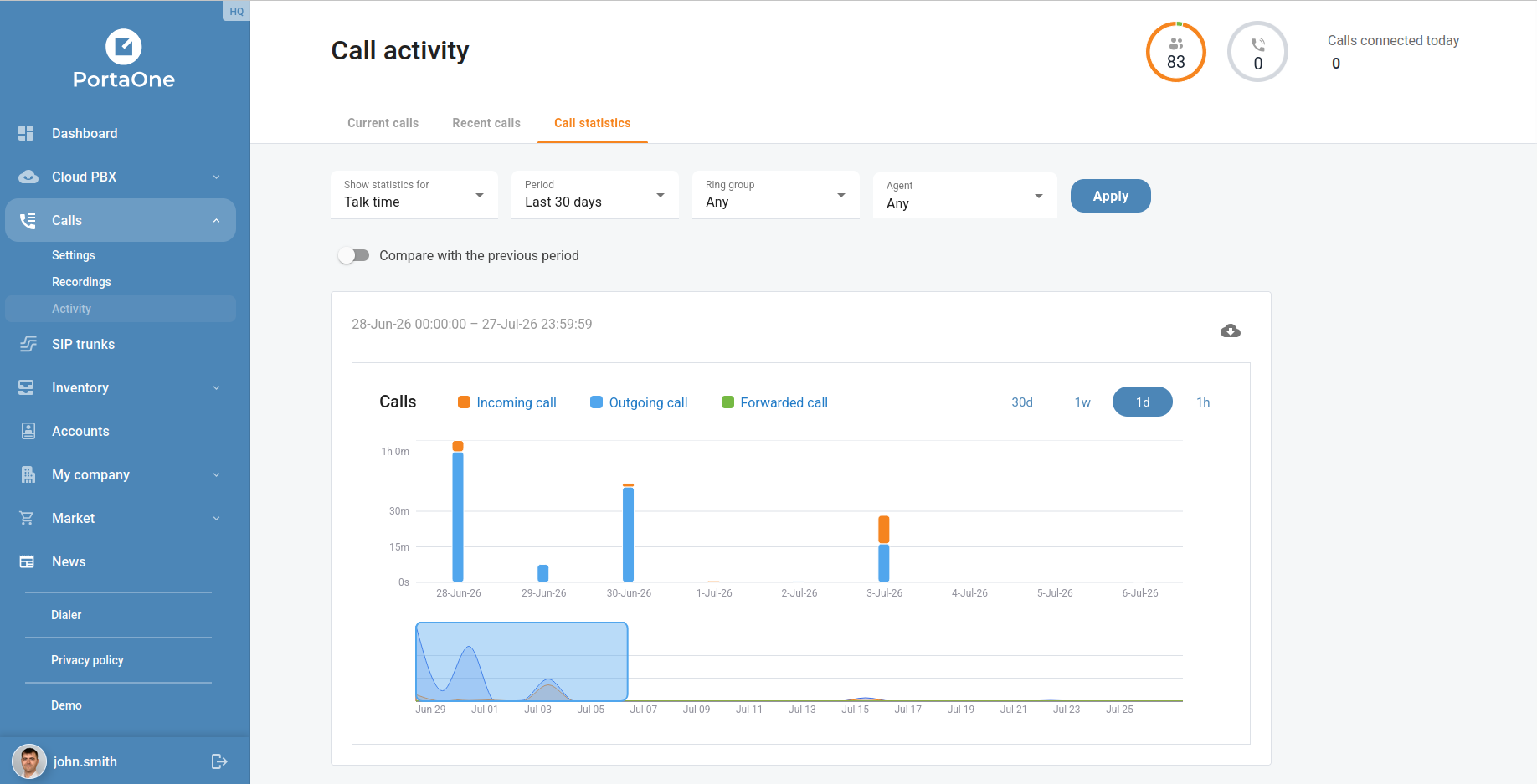
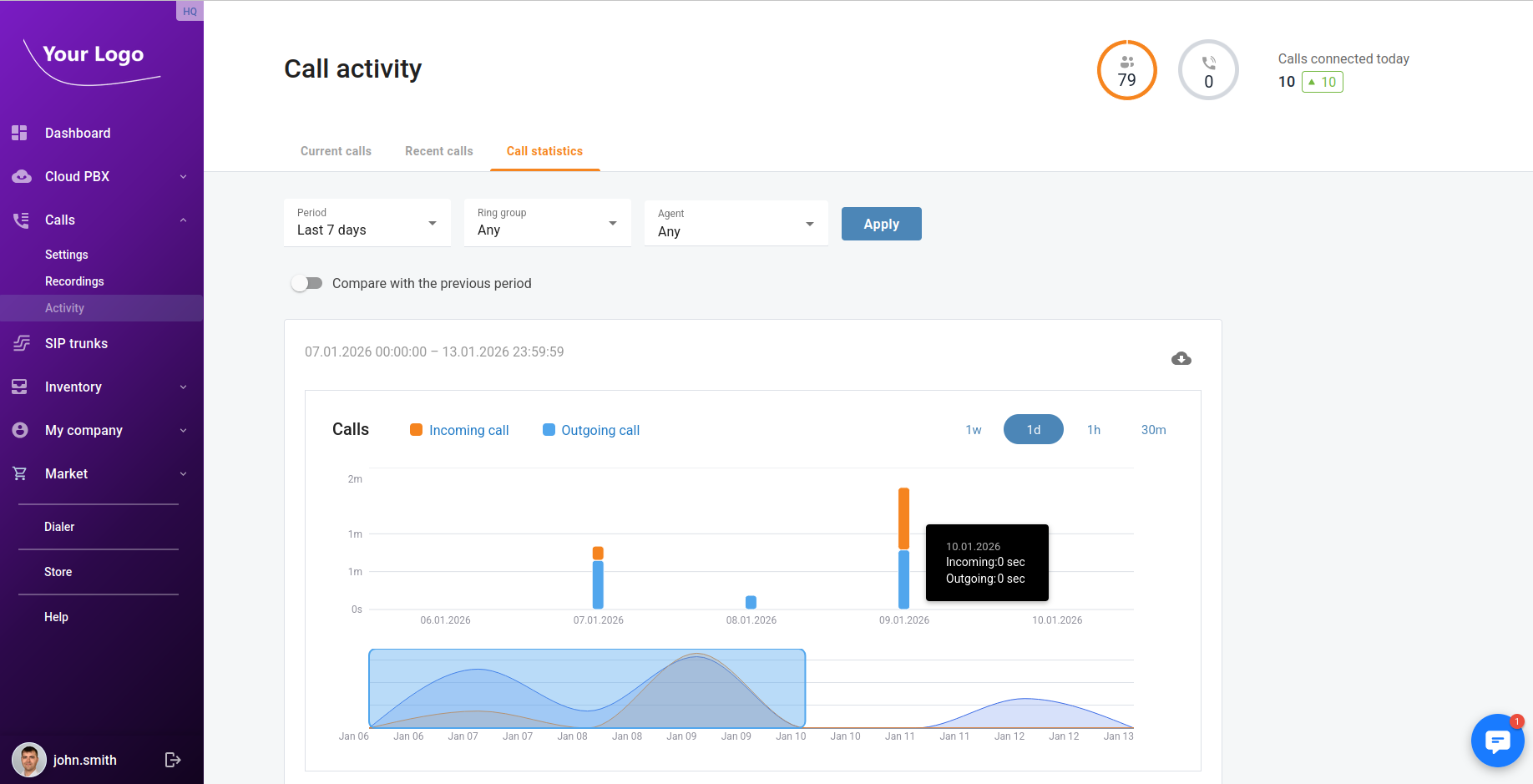
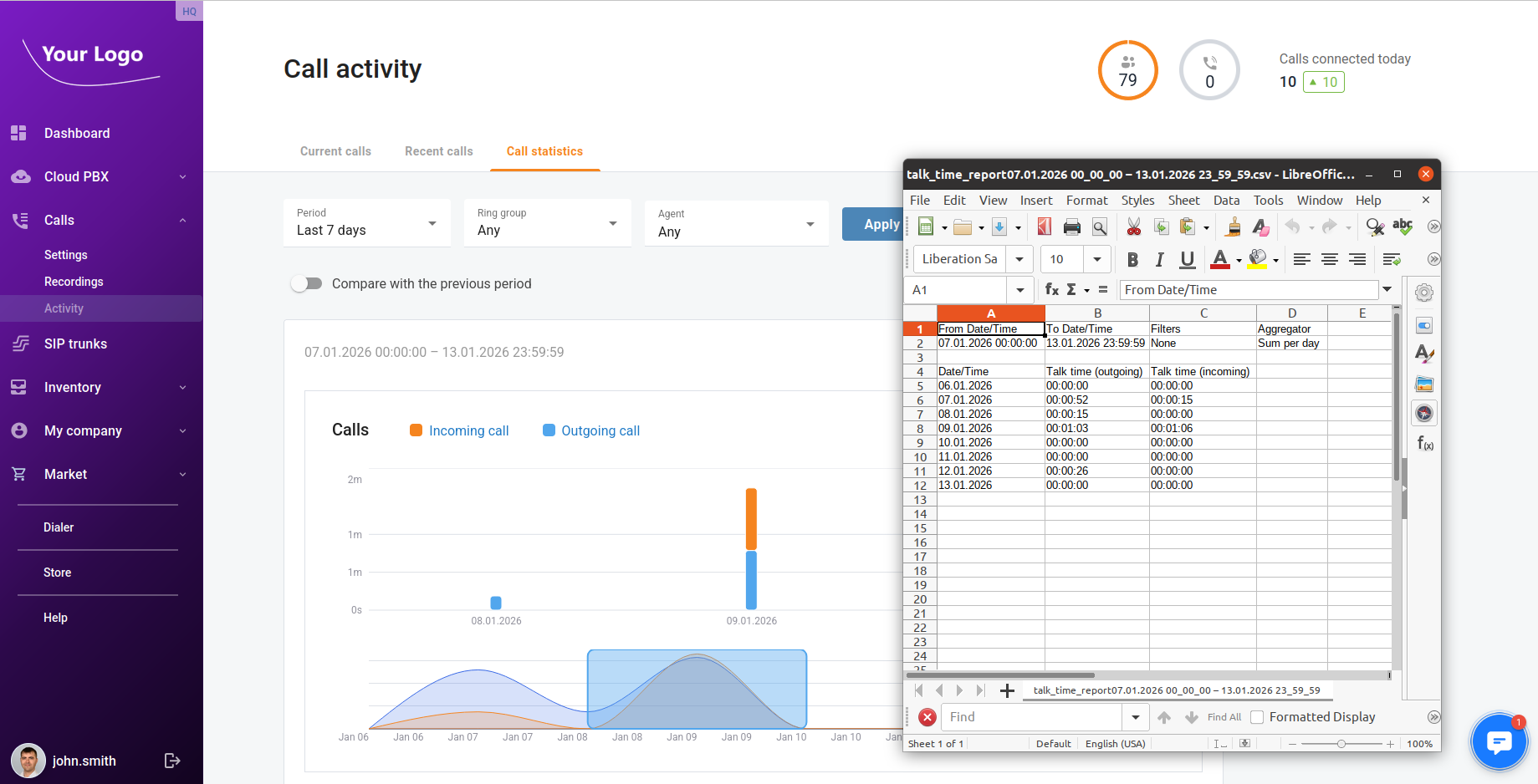
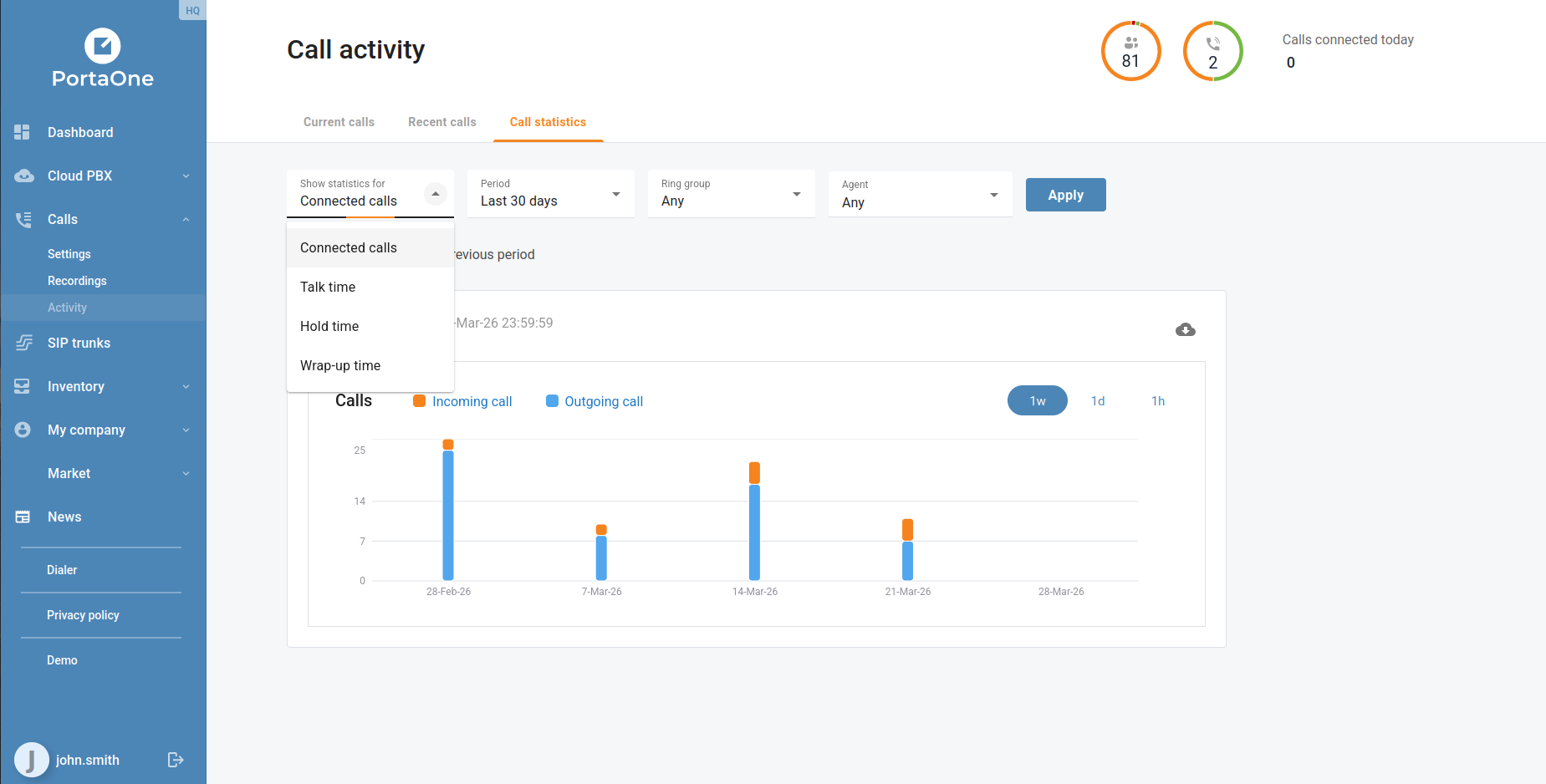
The Call activity → Call statistics view has been enhanced with a metric selector. Four options are now available: Connected calls, Talk time, Hold time, and Wrap up time. Combined with the existing period filter and ring group filter, businesses can now build a much more targeted picture of queue and agent performance without leaving the portal.
Auto-Attendant Prompt Playback

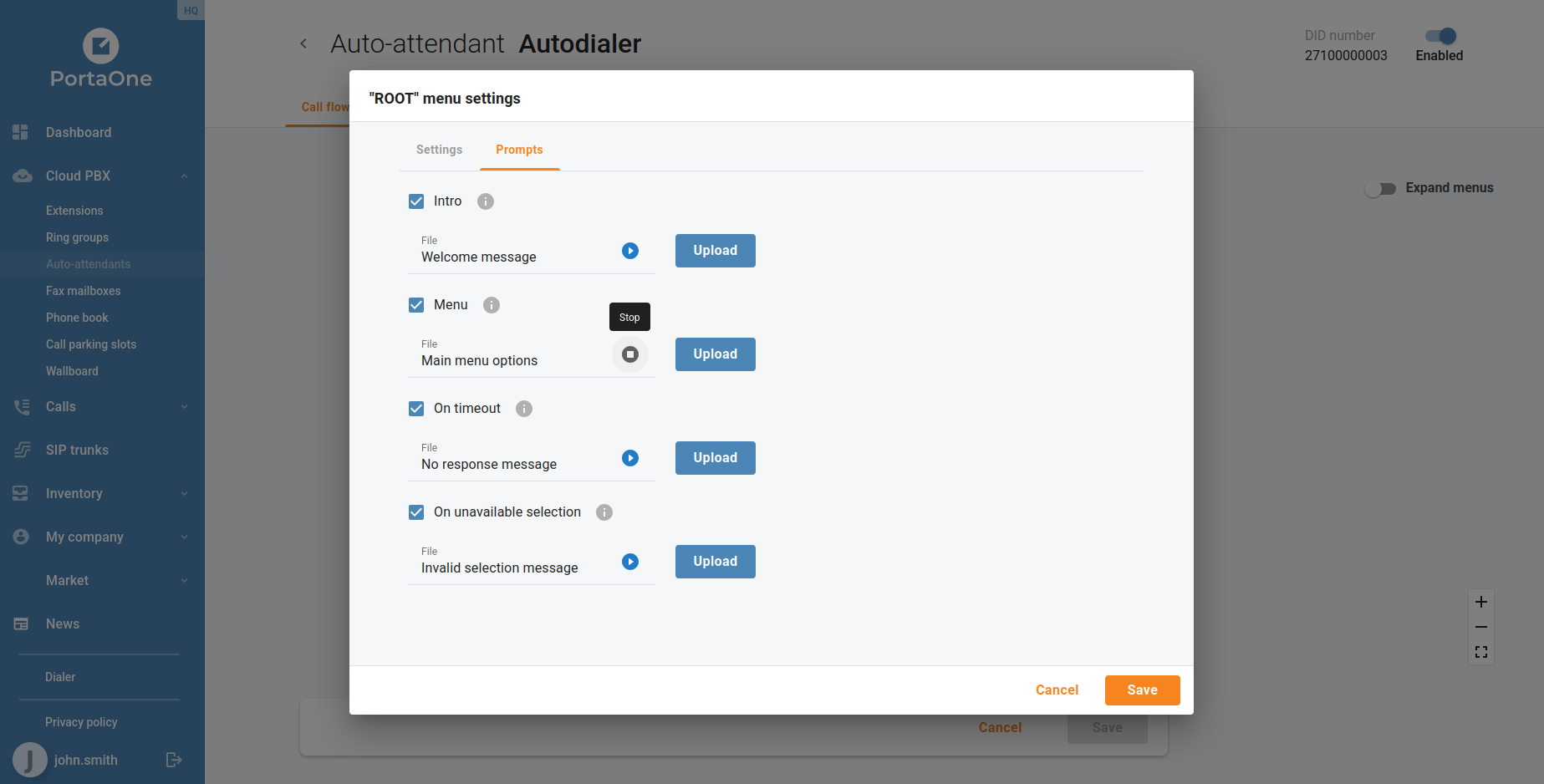
IVR prompts can now be played back directly inside the portal without downloading the audio file. When editing an auto-attendant, each configured prompt displays an inline audio player, letting businesses verify the correct greeting, menu announcement, or error message is in place before it reaches callers. This replaces the previous workflow of downloading the audio file and opening it in a separate player.
Branch Office Extension Name and Number Updates

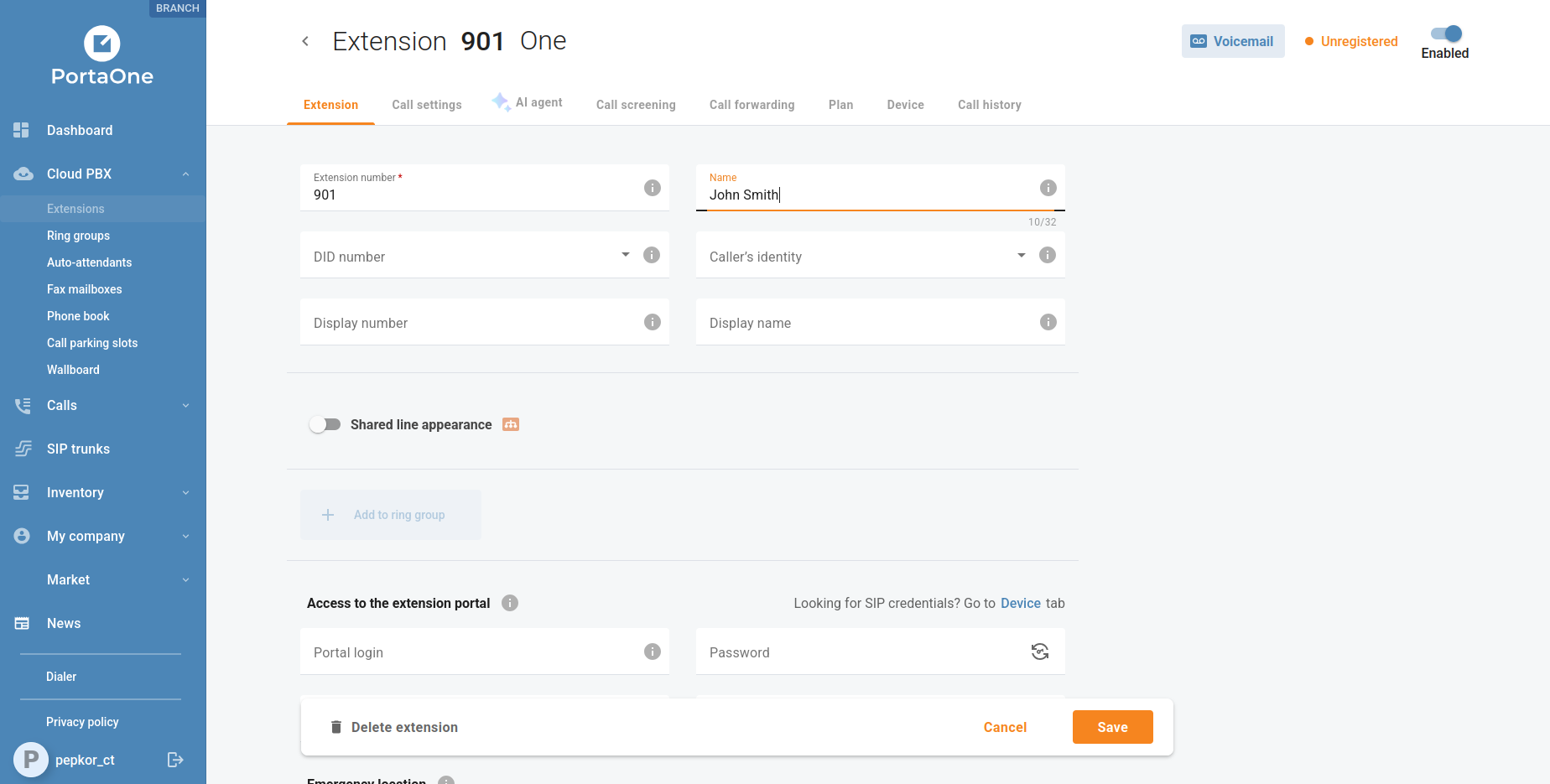
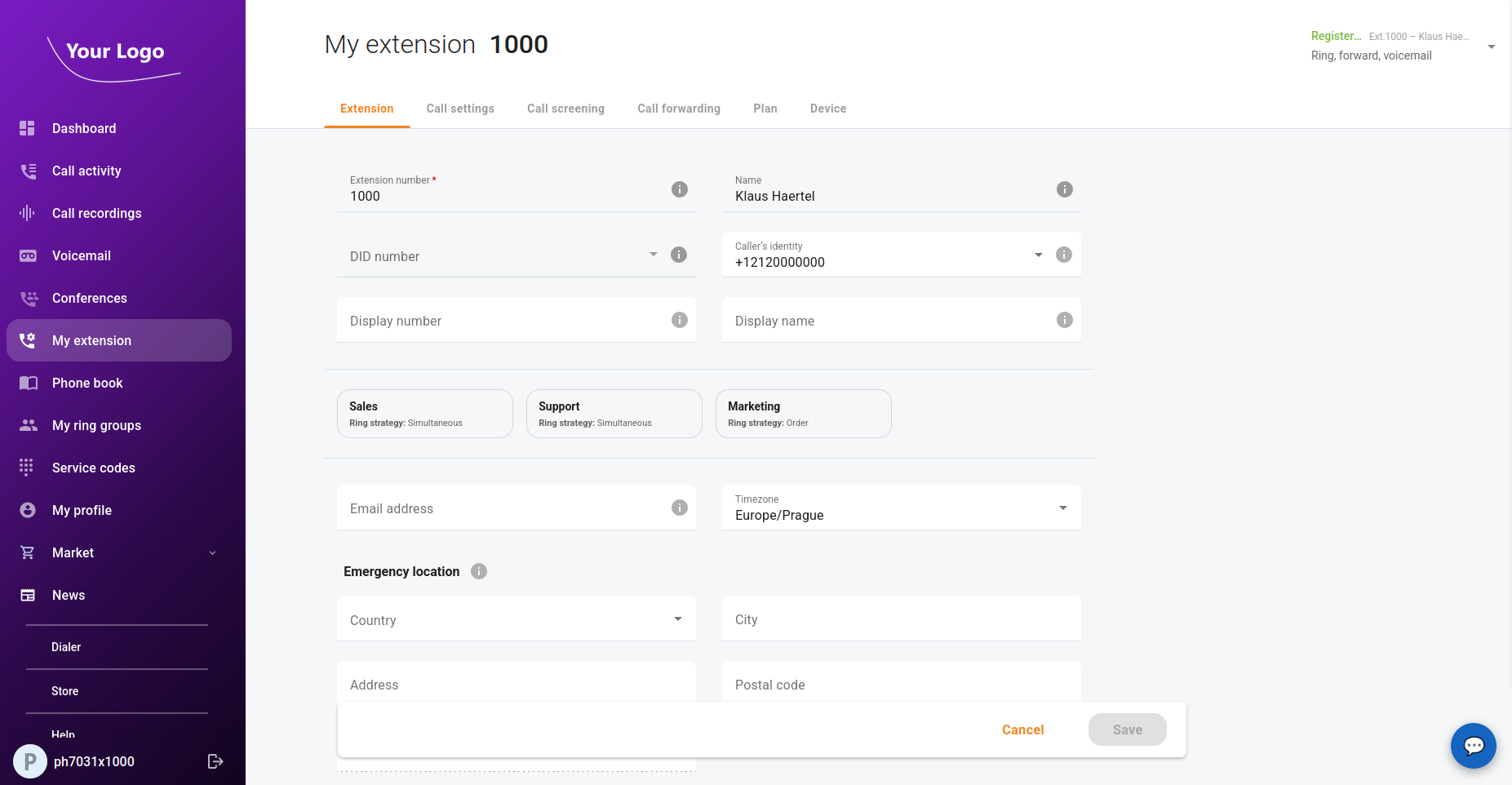
Branch office customers can now edit extension names and DID number assignments directly from the extension settings, without requiring a PortaBilling operator to make the change. This self-service capability reduces the time it takes to onboard new staff or update seat assignments across branch locations.
Spanish and French Language Support

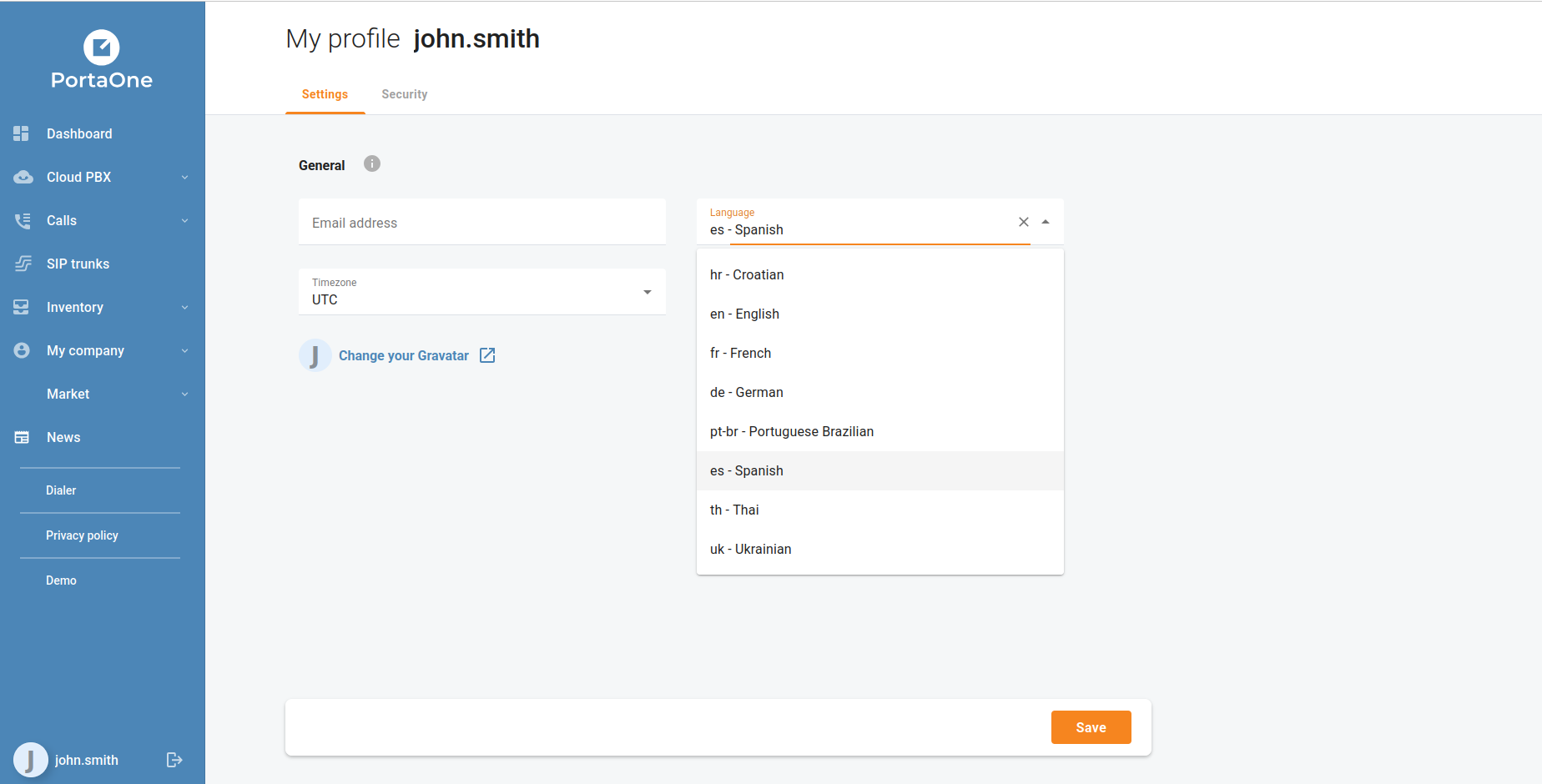
The portal interface is now available in Spanish and French, joining the existing German, Ukrainian, Croatian, Brazilian Portuguese, and Thai localizations. Users select their preferred language from My profile → Language — the change takes effect immediately and applies to all interface labels, status messages, and notifications.
For the complete list of fixes and technical changes in each release, see the individual release notes for 7.0.0 and 8.0.0.

· 3 Minuten Lesezeit
Dmytro Lavraniuk

The 8.1.1 delivered the most significant new capability in the portal to date: the End-User Self-Care Portal, allowing individual extension owners to sign in and manage their own telephony settings independently — without involving a tenant administrator. Alongside this flagship feature, the team added Spanish and French language support, resolved a backlog of bugs across the Marketplace, Ring Groups, and Custom Plugins, and prepared release tags for multiple product lines.

Flagship Feature: End-User Self-Care Portal

For the first time, individual extension owners can sign in to the portal using their own credentials and manage their telephony experience without involving a tenant administrator.

· 2 Minuten Lesezeit
Oleg Shevtsov

Release 8.0.0 brings new functionality and bugfixes. Minimal PortaSwitch version is MR125 because the portal requires new API to access voicemails and voicemail transcriptions. Please consider updating to MR125.

Enhancements:

  • ICAP-2744: Playback auto-attendant prompts
  • ICAP-2766: Allow users to access faxes
  • ICAP-2817: Allow users to select different call activity metrics
  • ICAP-2916: Unable to update the extension’s name and number under the customer of a branch office

· 2 Minuten Lesezeit
Dmytro Lavraniuk

Explore the latest innovations in the CloudPBX portal from versions 6.x.x through 7.x.x. We’ve focused on refining existing features and introducing new tools to enhance your customers’ communication experience. From smarter call management to better collaboration, this update is packed with improvements designed to boost productivity. Let’s take a look at what’s new. This article summarizes the portal changes introduced between PortaSwitch MR120 and MR125.

Talk time statistics

Users can now view talk time statistics in the portal and download a consolidated “total talk time” report for further analysis and sharing.

· 4 Minuten Lesezeit
Oleg Shevtsov

Release 7.0.0 brings new functionality and bugfixes. Minimal PortaSwitch version is MR124 because the portal requires new API to access voicemails and voicemail transcriptions. Please consider updating to MR125 to get even more useful features.

Enhancements:

  • ICAP-2807: Allow users to filter orders by multiple statuses and payment methods
  • ICAP-2810: Allow users to copy order IDorder history
  • ICAP-2698: Missing exclamation mark in 'Phone book "{{phoneBookName}}" cannot be deleted while it is assigned to device profiles' error
  • ICAP-2716: Use API instead of hard-coded list of models
  • ICAP-2745: Allow users to play back voicemail greetings
  • ICAP-2755: Allow users to access voicemails
  • ICAP-2767: Allow users to use shortcuts to different actions applied to extensions
  • ICAP-2780: Prepare a custom menu with the order history
  • ICAP-2788: Allow users to delete call screening rules linked to a call screening policy
  • ICAP-2797: Replace the error during fetch or hash comparison with the info message
  • ICAP-2811: Allow users to leave reviews of delivered orders
  • ICAP-2819: Allow to change the lowest price in the filters menu
  • ICAP-2855: Remove validation of phone numbers for Advanced forwarding, Forward to SIP URI and Follow-Me
  • ICAP-2868: Inability to set more than 1 email addresses for voicemail delivery
  • ICAP-2759: Group phone models by a vendor

· 3 Minuten Lesezeit
Oleg Shevtsov

Release 6.1.0 brings new functionality and bugfixes. Minimal PortaSwitch version is MR122 because the portal requires new statistics API. Please consider updating to latest LTS MR125 to get even more helpful features.

Enhancements:

  • ICAP-1155: Playback prompts, MOH files and ringback tones for ring groups and call queues
  • ICAP-1999: Allow users to set display name and number for extensions
  • ICAP-2155: Let PortaSwitch Admins easily find/identify auto-attendants by their account ID
  • ICAP-2542: Implement permissions for buttons that control call transcriptions in a read-only mode
  • ICAP-2646: Display a model name received for a list of device profiles
  • ICAP-2653: Announcements for the first caller in the queue
  • ICAP-2732: Allow users to program keys for Polycom VVX 300, 301, 310, 350, 450
  • ICAP-2735: Let users download a total talk time report
  • ICAP-2757: Allow gradients for the navigation panel

· 3 Minuten Lesezeit
Oleg Shevtsov

Release 6.0.0 brings new functionality and bugfixes. Minimal PortaSwitch version is MR122 because the portal requires new statistics API. Please consider updating to MR122 to get even more helpful features.

Enhancements:

  • ICAP-2166: Allow users to access the talk time statistics
  • ICAP-2526: Switch announcement_interval, average_duration, maximum_waiting_time fields for call queues to seconds
  • ICAP-2673: Localize errors related to the management of device phone books
  • ICAP-2727: Allow users to program keys and provision phone books for Yealink SIP-T54W, SIP-T53, SIP-T53W, SIP-T33G
  • ICAP-2728: Let users assign only those profiles that are compatible with their devices
  • ICAP-2247: New style for time range filters
  • ICAP-2164: Allow users to add phone numbers from the Phone book to the call screening From numbers filters
  • ICAP-2510: Display all UAs registered at one account
  • ICAP-2731: Inform users that they cannot create another auto-generated phone book with contacts of all extensions

· 3 Minuten Lesezeit
Oleg Shevtsov

Release 5.3.1 brings new functionality and bugfixes. Minimal PortaSwitch version is MR120. Please consider updating to MR120 to get even more helpful features.

Enhancements:

  • ICAP-2351: Display the minimum payment amount according to the settings of a selected payment method
  • ICAP-2367: Update data about agent when updating data about ring groups and current calls
  • ICAP-2637: Allow users to program keys for Polycom VVX 411
  • ICAP-2677: Allow users to program keys and provision phone books for Yealink SIP-T43U
  • ICAP-2678: Allow users to program keys and provision phone books for Yealink SIP-T46U
  • ICAP-2686: Allow users to program keys for Polycom VVX 410
  • ICAP-2687: Allow users to program keys for Polycom VVX 250
  • ICAP-2692: Disable the delete buttons when the application waits for the response to an API request
  • ICAP-2702: Add pagination for Yealink T43U/T46U button templates

· 3 Minuten Lesezeit
Oleg Shevtsov

Release 5.2.0 brings new functionality and bugfixes. Minimal PortaSwitch version is MR120. Please consider updating to MR120 to get even more helpful features.

Enhancements:

  • ICAP-2120: Change confusing labels used in the call flow visualization for auto-attendants
  • ICAP-2478: Do not update the list of current calls after receiving an event about a call to an external number
  • ICAP-2545: Redesign the call details of the call history for extensions, auto-attendants and SIP trunks
  • ICAP-2558: Allow users to select lines for programmable buttons
  • ICAP-2602: Let users understand that there are no available device profiles for unsupported phone models
  • ICAP-2609: Implement permissions that can restrict users from overriding the caller's identity
  • ICAP-2650: Allow users to download contacts from a phone book to a CSV file
  • ICAP-2672: It is possible to set an empty value to the timeout field while editing the AA menu action
  • ICAP-2674: Allow users to hide unregistered extensions for a presence widget
  • ICAP-2676: Open the Phone book tab for a device profile after applying changes to a phone book list

· 3 Minuten Lesezeit
Oleg Shevtsov

Release 5.1.0 brings new functionality and bugfixes. Minimal PortaSwitch version is MR120. Please consider updating to MR120 to get even more helpful features.

Enhancements:

  • ICAP-2017: Allow users to upload extensions asynchronously
  • ICAP-2353: Fetch extensions asynchronously for the dashboard and wallboard widgets, and donut charts
  • ICAP-2475: Synchronize audio tracks with call transcriptions
  • ICAP-2528: Allow users to provision phone books for YealinkT58W
  • ICAP-2590: Mark the counters as a final value for UI tests
  • ICAP-2619: Remove translation keys that define the tooltip format for programmable buttons
  • ICAP-2641: Extend the permissions to allow call recording playback to be restricted